The club guide
The key points of each part of The Crest, in plain words. The full step-by-step guide, with a screen to look at for each step, is inside your club's admin once you sign up.
Your website and pages
A club site the committee can run, in the club's own colours.
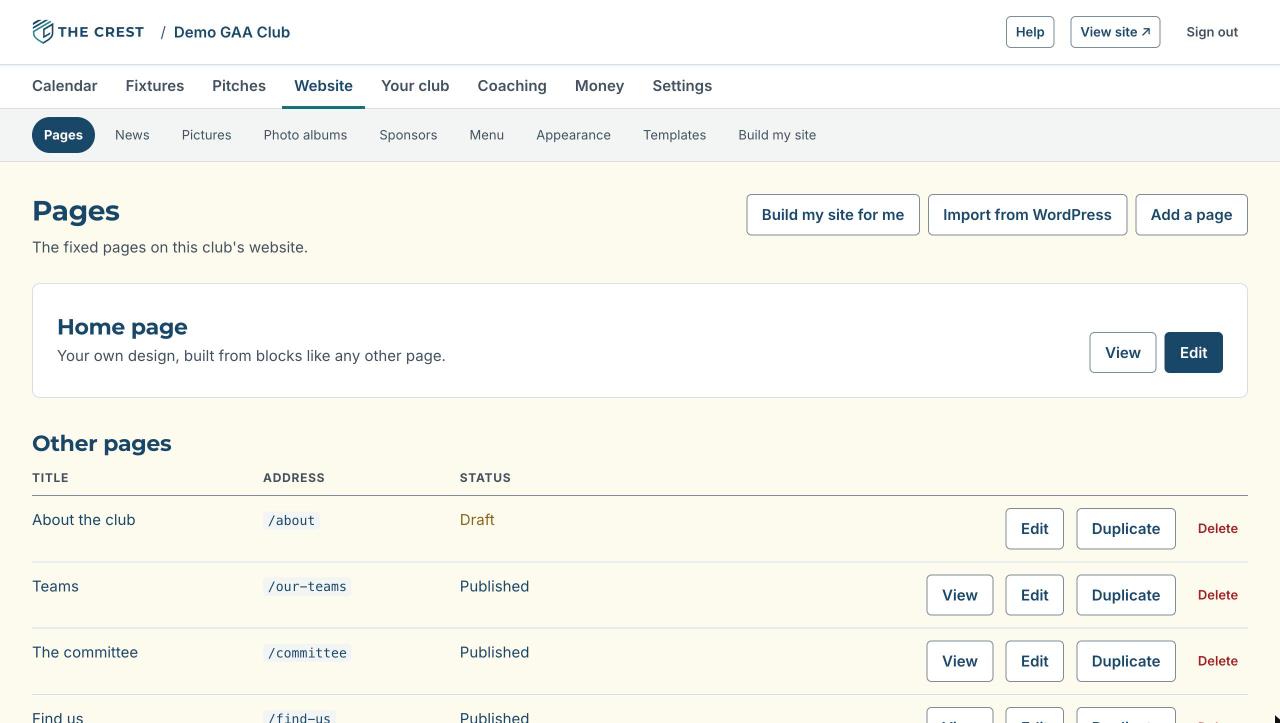
- Pages, news with pictures, sponsors, a committee page, history and honours, all edited by the committee with no webmaster.
- Upload your crest and take the colours from it, then choose one of seventeen looks from pictures.
- "Build my site for me" writes draft pages from a few answers. Nothing goes on your site until you publish it.
- Your club has its own address from the day it signs up, and can use its own domain when it is ready.
- Pictures and documents are copied to a backup every night.
Sign up to see the full step-by-step guide Already a club? Sign in
Pitch and facility booking and hire
Pitch hire that earns the club money.
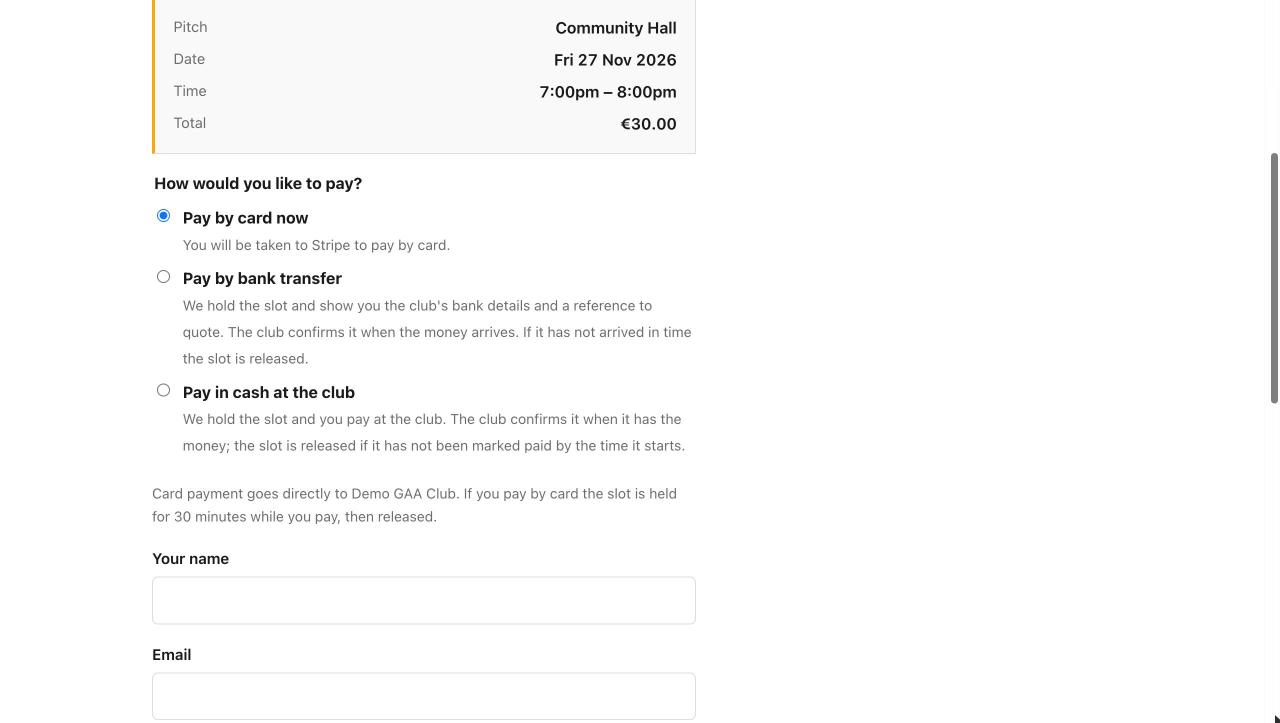
- Outside groups book and pay online. The database itself refuses a double booking, so the diary is right without anybody watching it.
- Regular hirers get a hire account, a code, with a rate you agree once, and one invoice a month.
- A court can be members only: it is kept off the website, and a member code unlocks it.
- A private maintenance log shows when each job was last done and how much use the pitch has had since.
- A keyholder gets a calendar link and a daily email, and the club can add a booking for a phone call.
Sign up to see the full step-by-step guide Already a club? Sign in
Fixtures, results and tables
One place for what is on, what happened and where you stand.
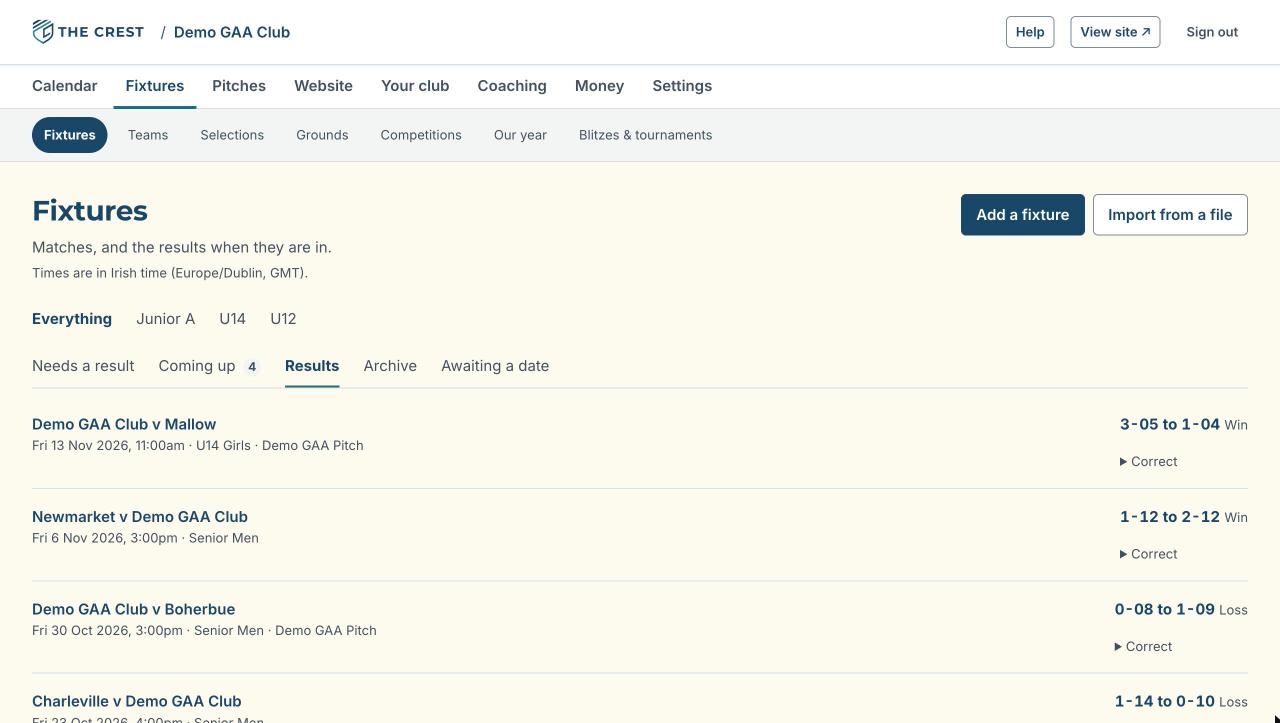
- Import fixtures from a CSV, a Word document or a calendar file, or add them by hand. You see what will change before it does.
- Results are written in your sport's own notation, such as 1-12 in hurling and football.
- A Tables page builds itself from the league tables you enter. You can paste a table from the county board or league site and check it before it is saved.
- One person can score a match live from the sideline on a phone, from a link.
- A finished season can become an "Our year" page for the club to share.
Sign up to see the full step-by-step guide Already a club? Sign in
Club lotto and Split the Bucket
Your draws, run by you, sold online.
- The club is the promoter, under its own permit or licence. We supply the software.
- A club that needs no permit can record a small-lottery exemption, and sales stop at the limits it entered.
- Lotto and Split the Bucket are two separate products, each with its own page.
- Members can pay once for a bundle of draws, or on a plan that renews each month or year until they cancel.
- The club can refund a bundle before its first draw and cancel a renewing plan from the admin.
Sign up to see the full step-by-step guide Already a club? Sign in
Shop and events
Sell the jersey, the camp place and the raffle ticket.
- A shop with sizes, stock counts, postage by country and weight, and an orders screen for packing and collecting.
- Events and camps with tickets and a door list, and appeals for fundraising with giving levels.
- The club chooses how people may pay for each: card online, bank transfer or cash.
- Online card payments go directly to the club's own Stripe account. Bank transfers and cash are recorded separately. The Crest never takes a percentage.
Sign up to see the full step-by-step guide Already a club? Sign in
Membership
Take the money for the year without keeping a register.
- Set up your own price list (Full, Student, Family) and take membership payments online or by transfer.
- The club sees a paid list it can download, to reconcile against the register it already keeps with Foireann or RugbyConnect.
- A club can switch on family membership. The parent or guardian who pays lists the names, and a birth month and year only where a membership has an age rule.
- That list is deleted ninety days after the season ends, and the parent can remove it sooner from an emailed link, with no account.
Sign up to see the full step-by-step guide Already a club? Sign in
Email and alerts
Tell the people who follow the club what is happening.
- Phones can follow the club or a team and get an alert, for example when a match is postponed.
- An alert subscription belongs to a device, not a person: there is no name, no email and no account behind it.
- Confirmations and receipts go to customers with your club's name as the sender.
- Every club email can be stopped in one click.
Sign up to see the full step-by-step guide Already a club? Sign in
What we do not hold about children
We keep no youth player register, no youth team lists and no sporting records about under-18s.
- There are no parent accounts.
- There are two exceptions, both off until the club switches them on: a first name on a camp booking, deleted thirty days after the camp, and the names a parent lists on a family membership, with a birth month and year only where a membership has an age rule, deleted ninety days after the season.
- Those names are visible to the club's officers who manage the club, and never on a public page, in an email or in a report.
- The club's privacy notice, cookie notice and processing agreement are written for it.
Sign up to see the full step-by-step guide Already a club? Sign in
Want the whole list at a glance? See everything The Crest does. Questions? Email hello@thecrest.ie and a person will read it.